Posts

Showing posts with the label Web 2.0 in D2L

Comic Strips in Online Courses

Over the years I've done quite a few workshops that included some sort of reference to using comic strips in online courses, either as part of the content provided by faculty or as part of the student assignments. This narrated slidecast is a short (5 min. 40 sec.) description of some of the ways that comics can be used to pump up the creativity in an online course. Using Comics in D2L Using Comics in D2L from Barry Dahl

Custom Home Pages in D2L

I recently gave a short presentation about using custom home pages for courses taught using Desire2Learn. D2L Custom Homepages by Barry Dahl from Barry Dahl Do you know what web pages are "framebusters" if you try to embed them into the D2L course home page? Check out slide 5. Do you know where you can easily make custom widgets for your course home page? Check out slide 9. Please share in the comments if you do something different and useful on your course home page.

MeeboMe inside Desire2Learn

Image
I offered a one-hour workshop last week about using Meebo and MeeboMe inside D2L as another way of communicating with students. According to the Meebo website : "Meebo is a web based IM that lets you log into your IM networks from any computer with a browser and internet connection with no firewall issues. It employs technologies (like AJAX) to make it act more like a desktop application, which dramatically improves usability. Many users enjoy the benefits of a native DHTML application, as it does not consume as many system resources as a Java applet (such as ICQ2Go or Yahoo Web Messenger). Meebo also offers other services such as a chat room client and a personal IM client for your personal/corporate web pages." I've been using it for about three years now. I don't use the basic IM feature as much as I'd like, primarily because so few of my contacts use IM as a regular means of communication. However, I think the MeeboMe feature is just brilliant. You'll se...

D2L Enables Web Tools Interoperability

Image
I just finished watching the recordings of the D2L webinars from March where they demonstrate the Learning Tools Interoperability (LTI) features of Desire2Learn. This seems like a major step forward, IMO. You can find the webinar links inside the D2L C ommunity . If you're not a member, I do believe that you will need to request access to view the recordings. The webinars were conducted by Chuck Severance of the IMS Global Consortium and Matt Teskey of Desire2Learn. I've spent the past several years demonstrating ways of embedding web-based tools into D2L and other LSM platforms. However, in all those cases there was only the appearance of integration between the tools and the LMS - but now this is possible to happen in a truly integrated process. "Truly integrated" means that your authentication credentials can be passed between the tool and the LMS with actual single sign-on. ( Screenshot above CC photo from Chuck Severance, dr-chuck on Flickr) Two specific appli...

Magna Webinar - March 23

I am the presenter for a Magna Publications webinar scheduled for March 23, 2010. The title is: Free Web 2.0 Tools to Use Inside Your LMS. This seminar costs $249 if you register at least a week in advance. The slides below (embedded from Zoho Show ) indicate the things that I will be demonstrating during the online seminar. Because there are so many of them, I will likely have time to show either one or two examples for each of the eight goals. I've done this workshop many times live and at least once before as a webinar. I'm looking forward to it. We'll see how it goes.

Screenjelly and ShareTabs

Image
Just a quick note to introduce two new web apps that you might find useful. Add Screenjelly to the list of web-based screencasting tools. In April I posted a comparison of Screencastle and Screentoaster for the very specific task of recording the creation of a chart in Excel. Screenjelly is restricted to a time limit of 3 minutes, which may make it less useful than the others, although it worked very easily and would be great for quickies. I used Screenjelly to demonstrate a new service called ShareTabs. Jane Hart tweeted about it this morning: Basically with ShareTabs you can provide a list of weblinks in a much more useful and visible format. I was thinking about how this could be used for aggregating web content for an online course, so I made this quick little screencast to demonstrate how you can embed a ShareTabs page inside Desire2Learn (and also how to use Screenjelly). Here's a link to the ShareTabs page of 6 Twitter links that I used for the demo. See this video at...

ScreenCastle Wins Round One

Just when I was ready to recommend ScreenToaster (a couple of months ago) as a slick browser-based (no download) way to make screencasts, I ran into a problem. Today I tried the new kid on the block, ScreenCastle . The assignment that I was trying to illustrate with ScreenToaster was the possibility of having a student make a screen recording of how they created a chart using Microsoft Excel. I remember teaching those classes years ago where the students had to turn in a paper copy of their completed chart. Seems to me that this is the same question that is raised all the time about distance learning - "how do I know that Billy Bob is really the person who made that great chart and that somebody else didn't do it for him and now he's just turning in the printout?" or some other long run-on question like that. By having the students make a screencast of their work they would be able to talk through the steps that they completed. However, to avoid technical problems I r...

Web 2.0 Inside D2L - iMeem Music Playlist

Image
The next installment in the video series of using Web 2.0 tools inside Desire2Learn takes a look at how to embed a music playlist into your online course. Also check out this previous post with more info about making free playlists using iMeem, Seeqpod, Songza, and Pandora . Click to play Visit the Blip.tv page for this video here . (Larger video plus a full-screen option) Why use this? There's plenty of reasons; here's three for starters. 1) Finding some music that is relevant to your course subject matter can be a good way to start a discussion thread about what the song is trying to say or how it relates to a topic in class. Works great with history classes, political science, and the like. Can't think of any music that's relevant to your accounting class? Time to get a little creative, isn't it? 2) Including a playlist of music you like in your faculty profile is a good way of letting your stu...

Embedding Music Playlists in VLE

Image
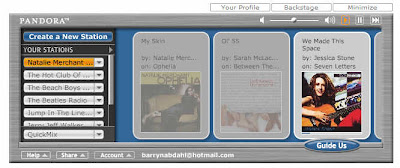
If part of your educational game plan is to provide music listening choices to your students, you have an increasing variety of choices for how to accomplish that. You can direct them to any of these sites or you can embed selected playlists into a blog post (as shown here) or inside your VLE or any other webpage where you have authoring control. My favorite for some time now has been imeem.com. Below is a reprint of part of my post when I made imeem my #5 free web tool for 2007 . imeem is now my (free) music provider of choice. I still like Pandora which was on my 2006 list , but imeem has gone a long way toward making it legal for me to listen to almost any full-length track that I want to, in the order that I want to, as often as I want to. You can create playlists using any music that you can find on the site, such as the one embedded below with a selection of holiday music. Here is the link to this playlist at imeem . The fact that you can embed a playlist like that on any webpa...

Web 2.0 inside D2L - Netvibes as Home Page

This video shows how you can use an alternate home page in the newest version (8.3) of Desire2Learn. I chose to use a Netvibes start page in place of the normal home page in D2L. With Netvibes you have the ability to create custom pages (via different tabs) that allows you to drive content to students. In order to make this appear to students you would need to use the public page, not the private page. Here's my public Netvibes page NOT embedded in D2L. Here is the link to my Blip.tv site in case the embed doesn't work. The audio is a bit choppy in spots. Sorry about that, but close enough for me.

D2L Provides Answer to My Challenge

About a month ago I tossed out a challenge to Desire2Learn and all other VLE developers to build some new functionality into the virtual learning environment. A couple of days ago I received this response from Matt Fisher, a Lead Product Designer at D2L. I will reproduce his response below in its entirety. +++++++++++++++ Barry, A few weeks ago you posted a “challenge to D2L [or other LMS] developers” which called for LMS vendors to provide software that focused on the creation of student content and would allow for students to collaborate in an online environment that had a web 2.0 feel. The challenge that you have proposed is something that we (Desire2Learn) have just recently released – ePortfolio 1.0! An ePortfolio allows users to create and collect digital artifacts that can be shared with others for feedback and assessment. ePortfolio also has tight integration with the Learning Environment which allows users to leverage such tools as Dropbox, Quizzing, Grades a...

Web 2.0 Inside D2L - Zoho Notebook

This video shows an embedded Zoho Notebook inside Desire2Learn. Zoho Notebook is a powerful and unique tool that allows you to combine just about any type of web content and place that content anywhere on the different pages of the notebook. Audio, video, webpages, embed code from various sites, file attachment, images, text, etc. etc. Very cool indeed. Here is the link to my Blip.tv site in case the embed doesn't work.

Web 2.0 Inside D2L - PBwiki

Some of the advantages of embedding a wiki inside D2L include the opportunity to deliver content to students inside the VLE and others outside the VLE simultaneously, the ability of managing a series of web pages with a minimum of page creation (coding) knowledge, the ability to allow students to engage in the content creation process by editing the wiki, the ability to have something that allows access long after the password-protected course has been shut off at the end of the term. Some of the advantages of using PBwiki as your wiki choice include a) it is free to use, b) an advertising-free version is available for educational uses, c) it provides for dozens of different content plug-ins (thousands if you include Google Gadgets) making it easy to add various types of content on any page, and d) the company provides solid support to its users. Check out their blog called The Daily Peanut which is a great place to keep up with new developments. PBwiki was my number one in my review ...

Challenge to D2L Developers

I'd like to throw down a little challenge to the D2L development team as well as all the other VLE providers out there. Yes, even you Blackbeard. In this video I demonstrate the use of document editing tools inside D2L and ask the question of why these tools haven't already been developed inside D2L or any other VLE that is out there. The catch is that these are not your father's editing tools. These are editing tools for students to use while working in the VLE. Why is that such a foreign concept? I'm serious, can anyone explain that to me? The video is slightly more than 5 minutes long. I sort of lose my train of thought near the end. I decided not to edit that out, mainly because I just didn't feel that it was worth the effort. Here is a link to the video at Blip.tv . To view full-screen, click on the little screen icon in the lower right-hand corner of the embedded video.

Web 2.0 Inside D2L - Google Reader

Image
This video shows the use of Google Reader inside Desire2Learn as an easy way for an instructor to share specific items from their RSS feeds from their own Google Reader account. Using this technique, rather than having all feeds appear inside the online course, the instructor can select only those posts that are particularly germane to the course. In the example it shows me sharing an item from OLDaily by Stephen Downes that links to a blog post by Julie Lindsay. Julie's blog post with an embedded video then appears inside the D2L course for all to enjoy. None of this content actually lives insides D2L, but it looks like it does. Click To Play I'd very much like to hear how others are using Web 2.0 tools inside their VLE, even you Blackboard users. ;) Follow this link to view the video directly at Blip.tv , which also gives you a full screen option.

Desire2Pod Cast 15: Fantasy VLE

In this short (under 12 minutes) recording, I share some thoughts about the possible future development of virtual learning environments (VLE) and how they could be more like current Web 2.0 tools, more open to the public (where appropriate), and probably a lot more engaging and productive places to get your work done. Since I'm not playing fantasy football this year, I thought I would try my hand at fantasy e-learning. I admit that this is not the deepest of thinking. Just some thoughts that have been rolling around in my head, plus an effort to jump start the Desire2Pod series that has been dormant for several months.

Web 2.0 Inside D2L - ProtoPage Widgets

Image
This video shows the use of Protopage inside Desire2Learn. Protopage is an easy to manage widget-driven website. Near the end of this less-than-5-minute video I state that using ProtoPage inside a VLE (virtual learning environment) might be a little glimpse of the future. It seems to me that any VLE would be more flexible, more customizable, more personable (think PLE or personal learning environment) with a widget-driven structure. Of course I could be wrong. You can load your own background graphic, which I have done on the Protopage used for this particular D2L embed. You can change the color scheme. You can make it private, semi-private, or public. Anyone can move the widgets around but only someone logged in with editing rights can make permanent changes. Here is the link to the video in blip.tv (full-screen option available). Click To Play

Using Zoho Show Inside D2L

Image
I've been playing around a bit with Jing (from TechSmith) to make screencasts. It works pretty well. Here is an example. Screencast of embedding Zoho Show presentations inside Desire2Learn. I would like Jing better if it was a web-based application. I don't recommend very many apps that require a download and install. However, this one appears to be worth it.

Web 2.0 Inside D2L - Zoho Writer and Sheet

Image
This video shows the use of Zoho word processing and spreadsheet documents inside Desire2Learn. I'm a big fan of Zoho and find it very useful for managing documents that I want displayed on the web and works great for student group projects for collaborative writing. Here is the link to the video in blip.tv (full-screen option available). Click To Play

Web 2.0 Inside D2L - Embedding Video

Image
Putting video inside your online course can enhance learning if it is done well. That's a big IF, but still, good videos are useful ... as long as you can see and hear them. Unless your college has a dedicated multimedia streaming server, you should look at alternatives rather than uploading your video files directly into D2L. Click To Play This video above promotes embedding videos inside a Desire2Learn online course by using the free video hosting services such as YouTube and Blip.tv where they will convert your video to flash and give you the html embed code for you to paste into your D2L course. Easy, peasy. Direct link to Blip where there is a full-screen viewing option.